Know what’s outstanding.
Keep the record behind it.
Manage RFIs, submittals and changes in one place. InfraLedgers keeps the corresponding registers current as your team creates and manages the records—so you can follow up and find the supporting history without updating a separate log.
30 days · 1 project · Up to 5 internal users
No credit card. No automatic paid subscription.
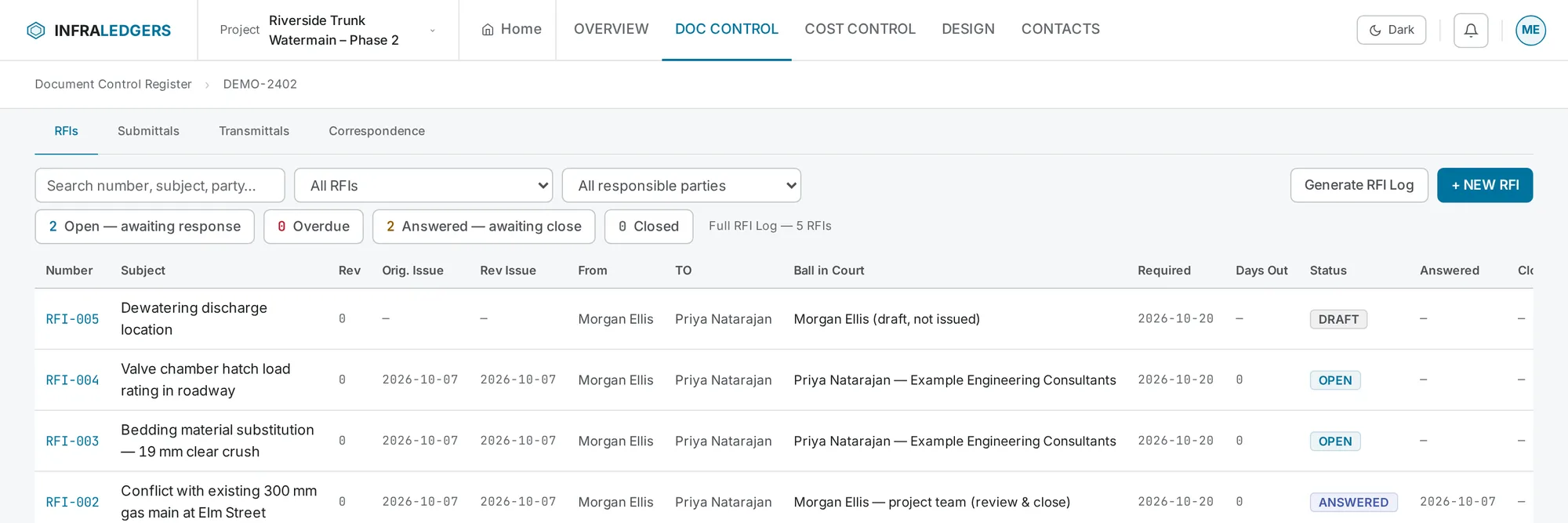
Shown with demonstration project data.
The document gets sent.
The register still needs updating.
Your PM and coordinator already have a full day. Keeping the document, the response and a separate tracking sheet in step adds another job.
“Are we still waiting on that answer?”
The RFI is in one place. The response is in another. Someone has to check both before updating the log.
“Where does that submittal stand?”
Before the next procurement or installation decision, the team needs to find the current submission and review status.
“What was behind this change?”
The question, instruction and proposal exist—but explaining the sequence means searching through emails and folders.
Create the record.
Keep the register current.
Create and issue
Prepare your RFI, submittal or change record and distribute it through the appropriate workflow.
Manage the item
Keep responses, revisions and status changes with the supported record.
Review what’s outstanding
Use the corresponding register to review status and outstanding age where available, then generate the log for your project review.
Open the record behind the register entry.
Go from the register to the underlying supported record when you need the question, response, attachments and history. Use the record when you need detail and the register when you need the wider view.
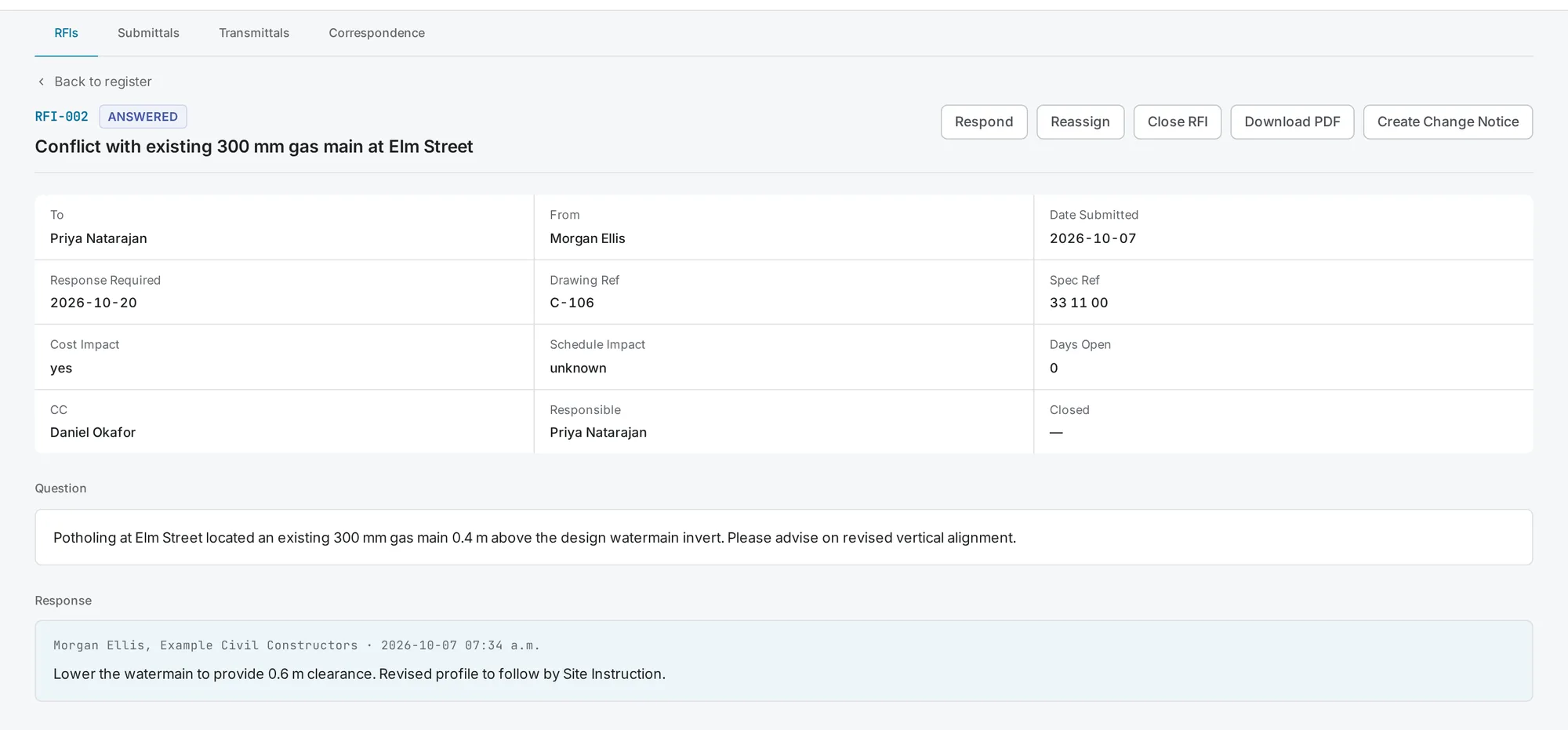
Shown with demonstration project data.
Keep the supporting records with the change.
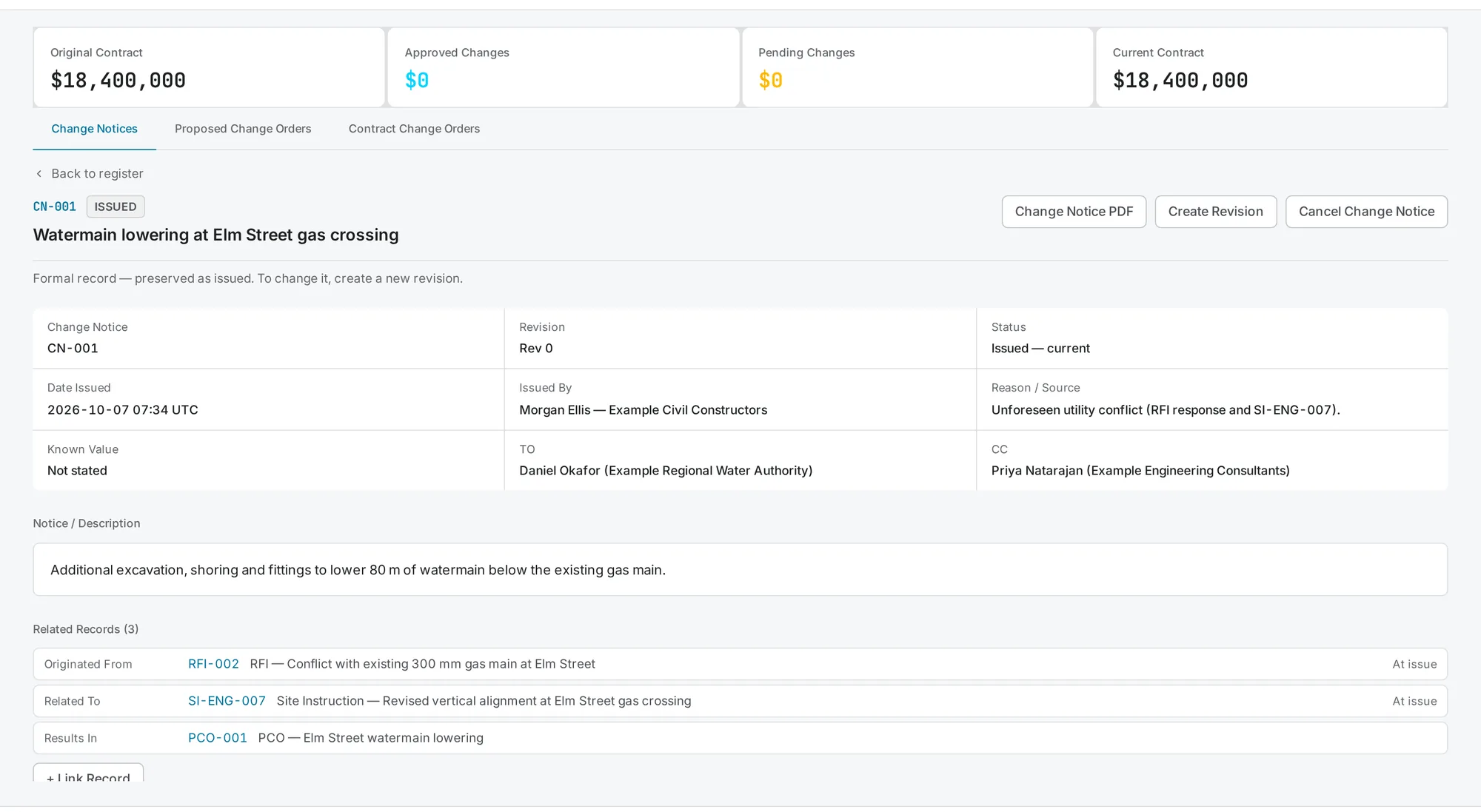
An RFI may lead to a Change Notice, then a PCO and a Contract Change Order. Link the related records so your team can follow the documented sequence.
RFI → Change Notice → PCO → CCO
Connect relevant drawings and Site Instructions where appropriate. Your team chooses the relationships; InfraLedgers keeps those links available with the records.
Already underway?
Bring your existing records with you.
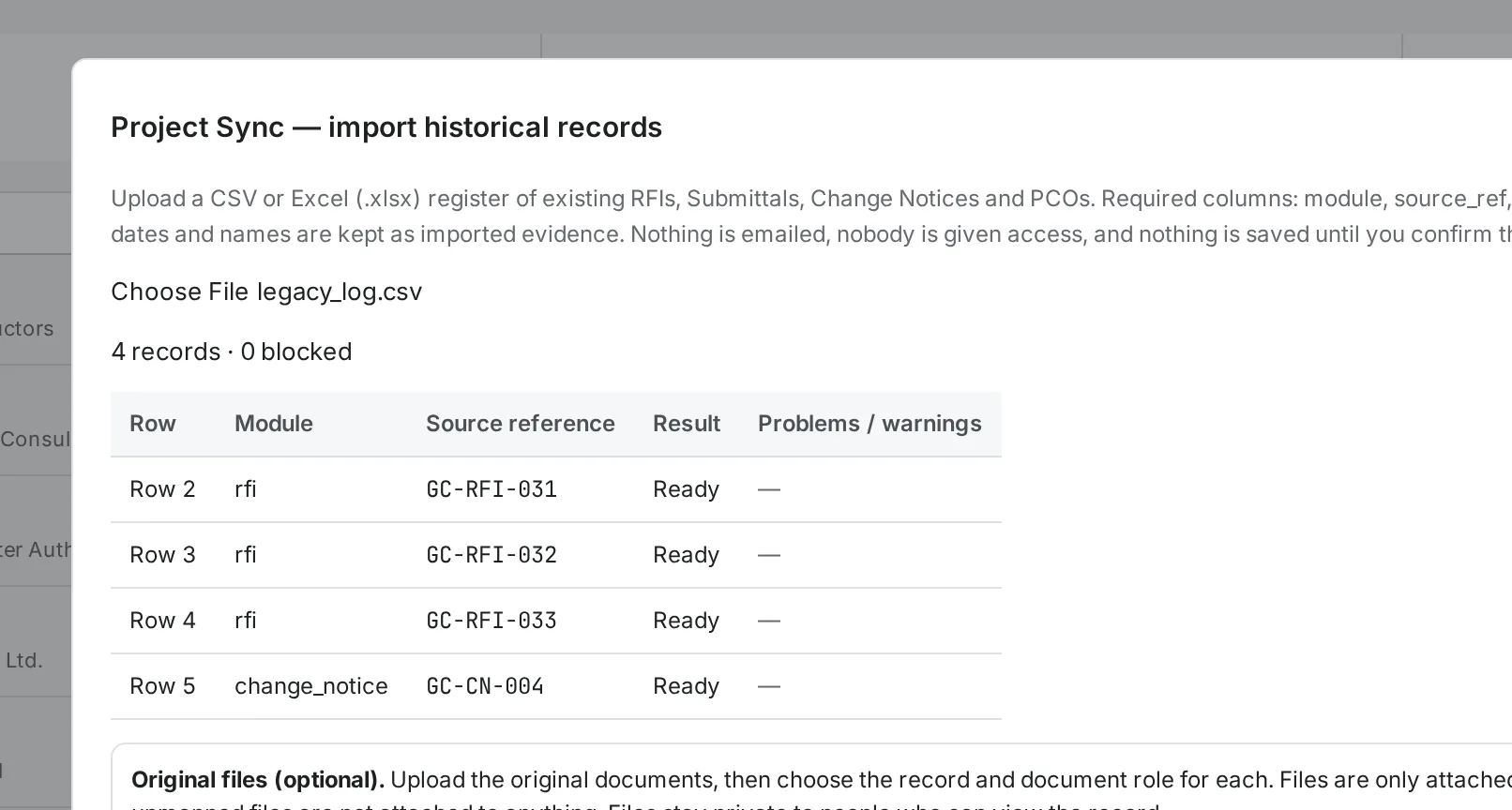
Project Sync lets you bring existing RFIs, submittals, Change Notices and PCOs into InfraLedgers, review the import and continue supported unfinished workflows.
Keep historical information distinct from the work your team records after the move.
Currently supports RFI, Submittal, Change Notice and PCO imports.
For contractor teams carrying a full project workload.
InfraLedgers is built for civil and utility contractors managing formal questions, submissions and changes with a lean project team.
PMs
Review outstanding items and find the records needed for follow-up.
PCs and project administrators
Create and manage supported records without maintaining a separate tracking sheet for the same workflow.
Owners and operations managers
Give the team a consistent place to maintain project records and their history.
Invite consultants, engineers, subcontractors and owner representatives to participate with appropriate access. External collaborators do not count toward paid internal-user limits.
Alongside RFIs, submittals and changes, InfraLedgers includes Transmittals, Site Instructions and a Drawing Register.
Start with one project.
Decide after using it.
Use the free pilot to test your team’s record workflow before choosing a paid plan.
Pilot
Free pilot
- 1 project
- Up to 5 internal users
- No credit card required
- External collaborators don't use internal seats
Project
Monthly plan
- 1 project
- Up to 10 internal users
- Billed monthly from purchase
- External collaborators don't use internal seats
Professional
Monthly planRecommended
- Up to 3 projects
- Up to 30 internal users
- Billed monthly from purchase
- External collaborators don't use internal seats
Company
Monthly plan
- Up to 5 projects
- Up to 150 internal users
- Billed monthly from purchase
- External collaborators don't use internal seats
Enterprise
For contractors managing larger project portfolios.
- Custom project limits
- Custom internal-user limits
- Flexible organization-wide deployment
- Personalized onboarding options
- Custom commercial arrangements
Paid plans are chosen by an organization admin from Billing after signing in and begin charging when purchased; there is no paid-plan free trial. Questions about fit? Request a Demo.
Checkout charges the price shown in USD. Any applicable taxes are shown at checkout. The pilot never converts to a paid plan automatically and does not restart. Questions? info@infraledgers.com
We already have Excel registers. What would change?
Excel remains useful for flexible tracking and analysis. InfraLedgers connects the register entry to the supported project record—such as the RFI, its response, attachments and history. When your team manages that record in InfraLedgers, the corresponding register reflects the activity without a separate tracking entry.
Does InfraLedgers update itself from our emails?
No. Registers reflect records and workflow activity captured in InfraLedgers. Your team still needs to create and manage the records through the applicable workflows.
Can we start halfway through a project?
Yes, for supported records and workflows. Project Sync currently imports RFIs, submittals, Change Notices and PCOs through an import-and-review process. It does not currently import CCOs, Site Instructions or drawing records. Request a demo if you want to review your existing project before starting.
Do consultants and subcontractors need paid seats?
External collaborators do not count toward your paid internal-user limit. The access and participation they need depend on their role and the workflow. They do not need their own paid organisation subscription simply to collaborate on your project.
Does everyone on the project have to use it?
Not everyone needs access. People carrying out actions inside InfraLedgers need the appropriate account and permissions. If a consultant or owner requires another system or communication process, review that workflow before adopting InfraLedgers.
Who can see our project records?
Access depends on project permissions and record-specific visibility or distribution rules. External participation does not provide unrestricted access to your project. We can demonstrate the relevant access settings during a demo.
See it on your kind of project.
Pick a time that suits you for a 30-minute walkthrough of the workflows that matter to your team.
- RFIs, submittals and changes — record and register
- How Project Sync handles your existing records
- Pilot and plan questions
Scheduler not showing? Open scheduling page